
Split layout
Keys within reach.
Two keyboard halves bring the keys closer to your thumbs, so you can type with both hands while holding your iPad.
 Split Keyboard
For iPad Pro, iPad Air, iPad, and iPad mini
Type with your thumbs while holding your iPad, with word suggestions and autocorrection.

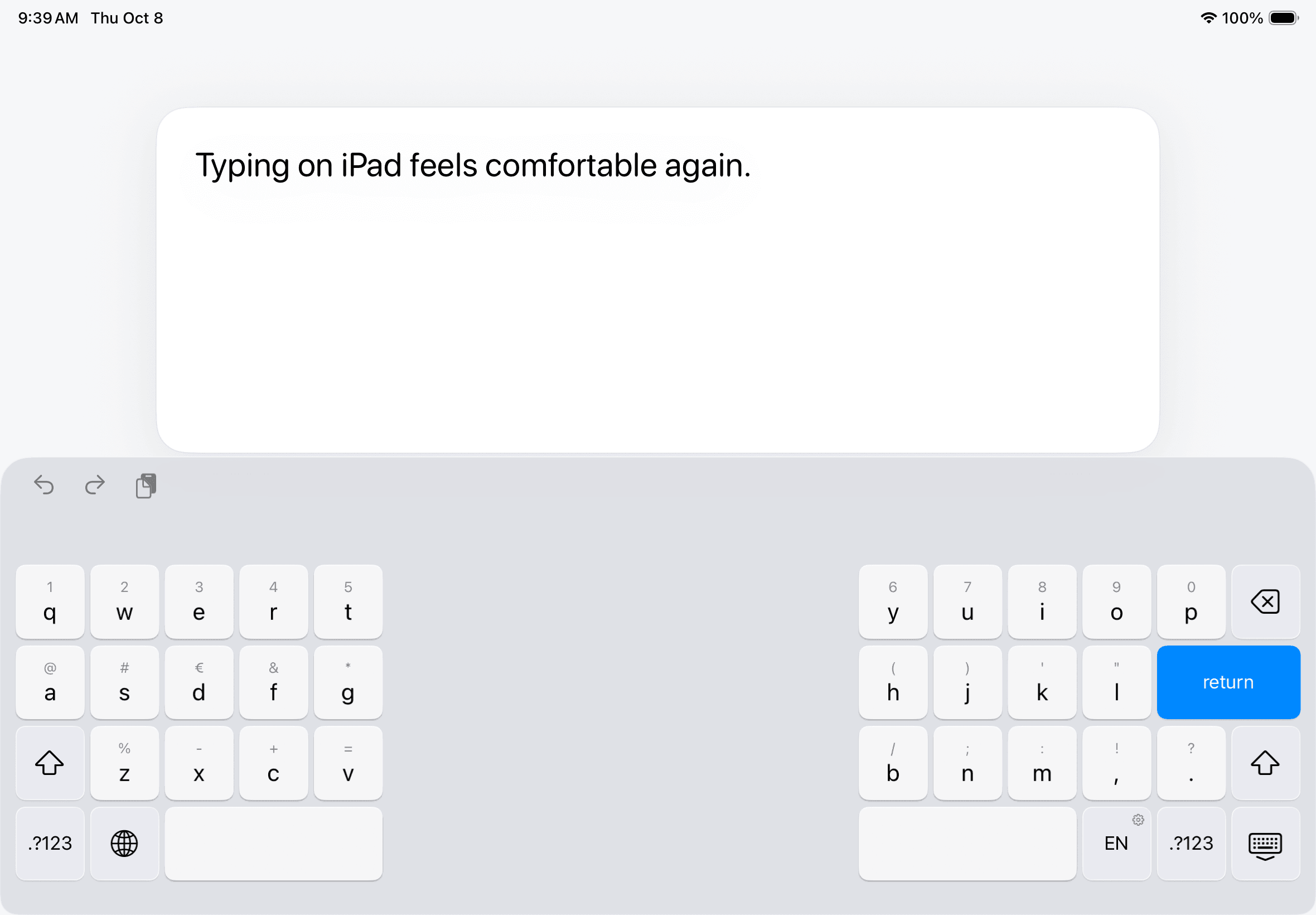
Split layout
Two keyboard halves bring the keys closer to your thumbs, so you can type with both hands while holding your iPad.
Typing languages
Write in English, Italian, German, French, Spanish, and Portuguese for Portugal and Brazil.
Private by design
Suggestions and word learning work locally. No accounts, tracking, or Full Access required.
Compatibility
Apple’s built-in split keyboard is limited to a few models.
Add it once in Settings, then switch to it with the globe key.
How to split the keyboard on iPadSetup
Privacy
We do not collect personal data or anything you type.
Read the privacy policyGood to know
Every iPad that runs iPadOS 18 or later: iPad Pro, iPad Air, iPad, and iPad mini. That includes models without Apple’s own split keyboard, such as the 11-inch and 13-inch iPad Pro.
The floating keyboard is a miniature keyboard you can drag around the screen, suited to typing with one hand. Split Keyboard stays at the bottom of the screen and puts half the keys under each thumb, so you can type with both hands while holding your iPad.
It works in apps that allow third-party keyboards. Password and phone fields use Apple’s system keyboard.
English, Italian, German, French, Spanish, and Portuguese for Portugal and Brazil. Choose QWERTY, German QWERTZ, or French AZERTY, with QWERTY also available for French.
Touch and hold a letter to see available accents.
Tap the language key to cycle through your enabled languages. Hold it to add or remove languages and choose your French layout. If only one language is enabled, tapping opens these settings too.
Yes. Hold Space, or rest two fingers on the keys, then drag. Drag sideways to move by characters, or up and down to move between lines.
Yes. Between words the bar predicts the next one, and while you type it adds accents and apostrophes, completes words and fixes typos, so one tap turns dont into don’t. Space fixes clear typos for you, Delete right after undoes the fix, and you can turn auto-correction off in the keyboard’s settings.
Yes. Words you type often, like names, appear as suggestions after you use them twice. They stay on this iPad. Touch and hold a learned word in the bar to forget it, or reset all learned words in the keyboard’s settings.
No. Every typing feature, including suggestions, works with Full Access turned off. Your settings and learned words stay on your iPad, and we never collect what you type.
No. Split Keyboard is a one-time purchase, with no subscription.